Note
Go to the end to download the full example code.
Time-Averaged Data Reader
Read output from LAMMPS fix ave/time commands.
Relevant documentation: read_averages_file()
and read_sectioned_averages_file()
Supported averaging formats:
Scalar quantities (single values per output timestep)
Vector quantities (multiple values per output timestep)
Multi-section files with varying column structures
Timestep 100: 3 data points
Timestep 200: 3 data points
Timestep 300: 3 data points
import os
from pathlib import Path

from pylimer_tools.io.read_lammps_output_file import read_averages_file


def _find_fixtures_dir() -> Path:
    for cur in (
        [Path(__file__).resolve().parent] if "__file__" in globals() else []
    ) + [Path.cwd()]:
        for p in [cur] + list(cur.parents):
            candidate = p / "tests" / "pylimer_tools" / "fixtures"
            if candidate.is_dir():
                return candidate
    return Path("tests/pylimer_tools/fixtures").resolve()


_fixtures_dir = _find_fixtures_dir()
averages_file = str(_fixtures_dir / "example_avg_file.out.avg.txt")

# Read simple averages file
averages = read_averages_file(averages_file)

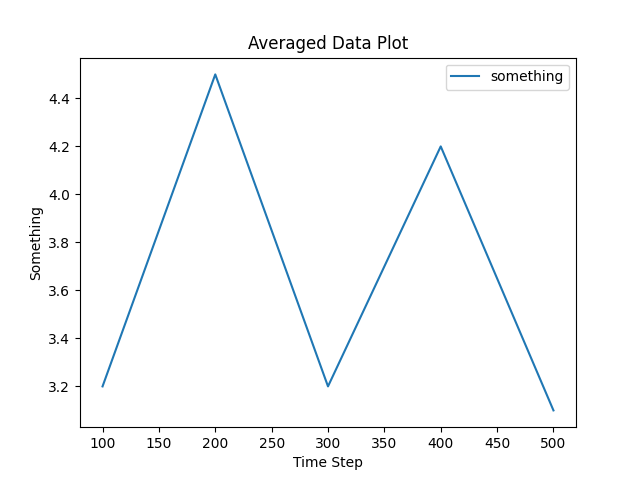
# Plot "TimeStep" vs "something"
averages.plot(
    x="TimeStep",
    y="something",
    xlabel="Time Step",
    ylabel="Something",
    title="Averaged Data Plot",
)

vec_averages_file = str(_fixtures_dir / "example_vec_avg_file.out.vec-avg.txt")

# Read sectioned averages
# (e.g., from vector quantities from e.g. ``fix ave/time ... vector``)
sectioned_data = read_averages_file(vec_averages_file)

# Group by timestep for sectioned data
for timestep, group in sectioned_data.groupby("TimeStep"):
    print(f"Timestep {timestep}: {len(group)} data points")
Total running time of the script: (0 minutes 0.044 seconds)