Note
Go to the end to download the full example code.
pylimer-tools Output Reader
Read output from pylimer-tools’ own simulators.
Relevant documentation: read_avg_file()
Simulation steps: 100
import os
from pathlib import Path

import matplotlib.pyplot as plt

from pylimer_tools.io.read_pylimer_tools_output_file import read_avg_file


def _find_repo_root() -> Path:
    for cur in (
        [Path(__file__).resolve().parent] if "__file__" in globals() else []
    ) + [Path.cwd()]:
        for p in [cur] + list(cur.parents):
            if (p / "examples").is_dir() and (p / "src").is_dir():
                return p
    return Path.cwd()


_examples_dir = _find_repo_root() / "examples"
example_file = str(
    _examples_dir /
    "dpd_simulations/dpd_simulation_avg_output.txt")

# Read pylimer-tools averages file
pylimer_data = read_avg_file(example_file)

# Data is automatically grouped by OutputStep
print(f"Simulation steps: {pylimer_data['Step'].nunique()}")

# Access specific measurements
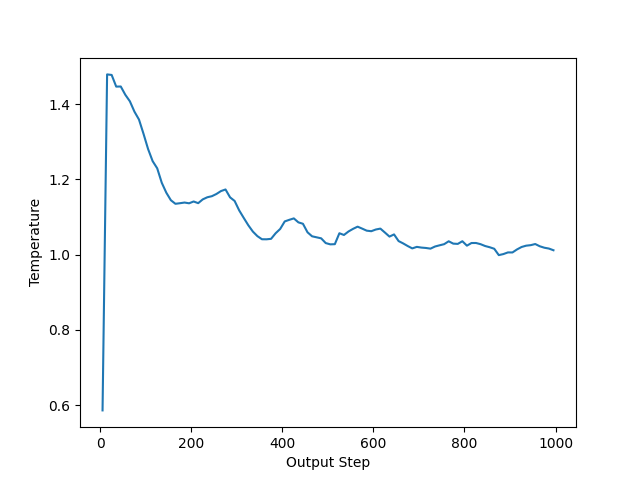
plt.plot(pylimer_data["Step"], pylimer_data["Temperature"])
plt.xlabel("Output Step")
plt.ylabel("Temperature")
plt.show()
Total running time of the script: (0 minutes 0.034 seconds)